How does sending receipts work?
+
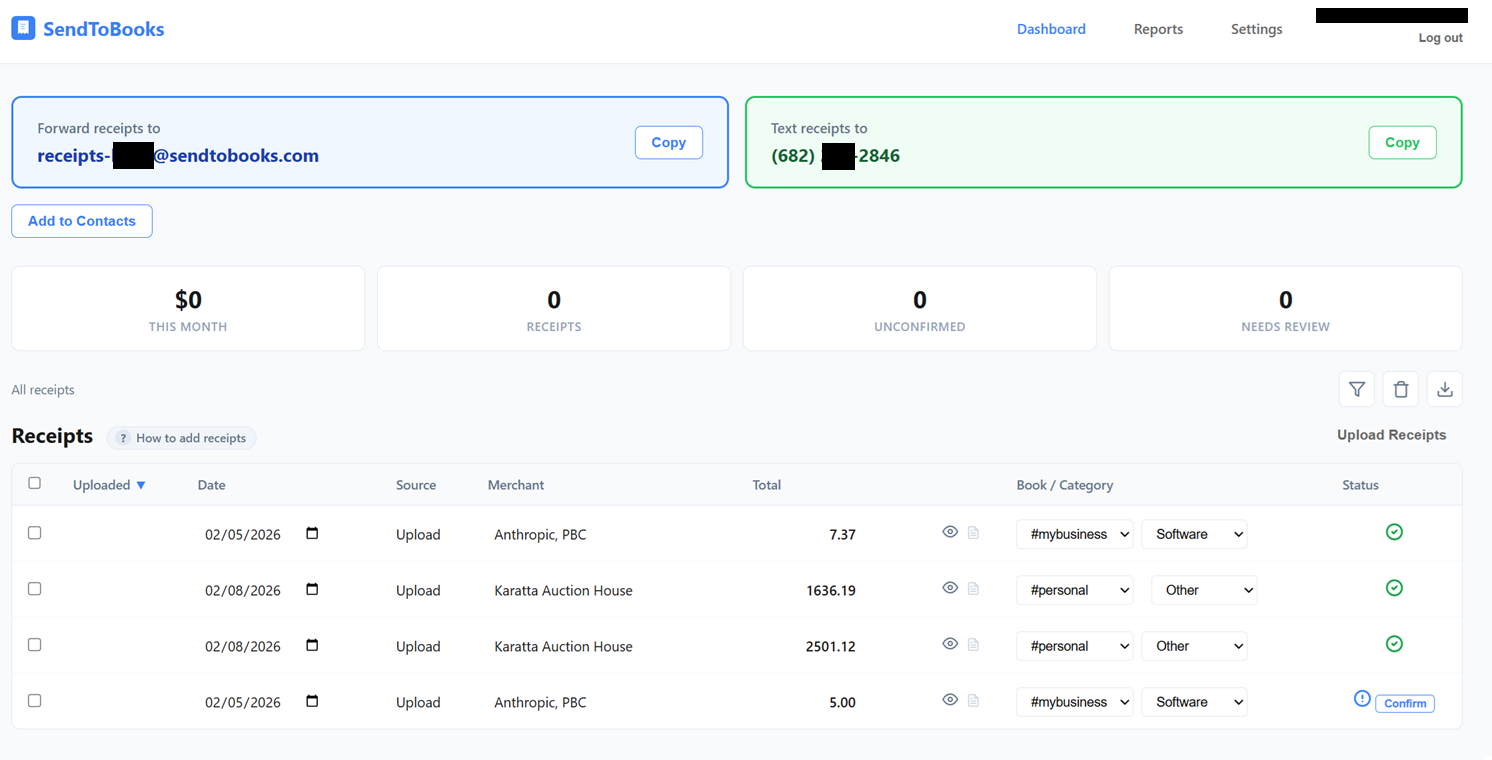
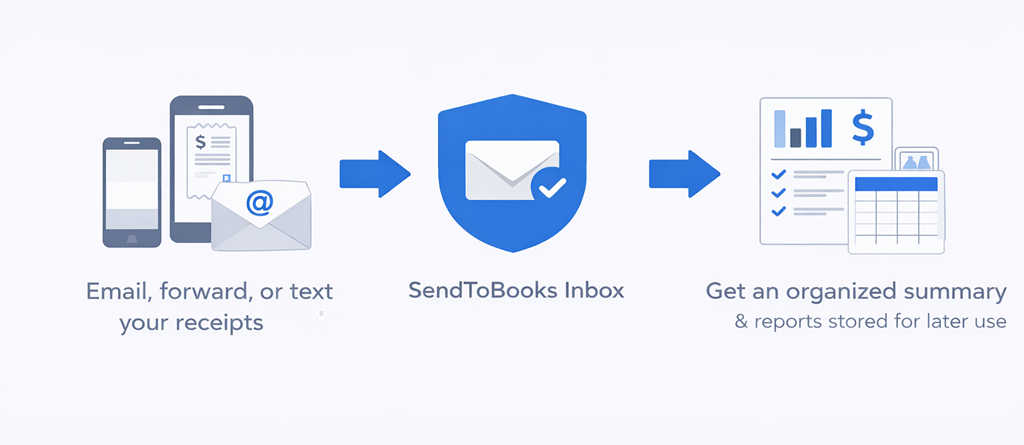
When you sign up, you get your own dedicated email address and phone number. Forward any email receipt or invoice to your inbox and we extract the merchant, amount, date, and category automatically. For paper receipts, just snap a photo and text it to your number. No app required.
Do I get my own phone number and email address?
+
Yes. Every account gets a dedicated phone number and a unique email address like receipts-abc123@sendtobooks.com. These are yours alone — you can save them in your contacts, share them with a bookkeeper, or forward email receipts to your inbox automatically. Your number and inbox stay the same as long as you have an active subscription.
What happens to my data if I cancel?
+
We hold your data for 90 days after cancellation so you can log in and export everything — receipts, attachments, and exports. After 90 days, your data is permanently deleted. Your dedicated phone number is released when you cancel. If you resubscribe within 90 days, you keep your existing data and get a new phone number.
Is there an app I need to install?
+
No. That's the whole point. You use the tools you already have — your phone's camera and text messages, or your email. The dashboard is a website you can access from any browser when you want to review, edit, or export. There's nothing to download or keep updated.
Can I track multiple books?
+
Yes. You can create as many books as you need — one per business, property, project, or anything else you track. Assign receipts to each one. Use hashtags like #rental or #consulting when texting to auto-sort into the right book. You can also set up custom categories for each and export by book at tax time.
Can I take a picture of more than one receipt at a time?
+
You can, but for the best results we recommend sending one receipt photo per text message. When you send multiple photos in one MMS, your phone carrier compresses the images to fit within size limits, which can reduce quality and accuracy. One photo per text gives you the sharpest scan every time.
How accurate is the receipt scanning?
+
We use AI to extract merchant names, totals, dates, and categories. It handles most receipts well, including handwritten and faded ones. Everything lands in your dashboard where you can review and correct anything with a click. The more you use it, the better it gets at your specific receipts.
Is my data secure?
+
Yes. Everything is hosted on AWS in the United States, encrypted in transit and at rest. We don't sell your data, use it for advertising, or share it with anyone. Receipt images sent to our AI for processing are not used for training. See our
privacy policy for full details.
Can I share my inbox with a bookkeeper or assistant?
+
Yes. From your Settings page you can email your inbox address and phone number to anyone who handles expenses on your behalf. They can forward receipts or text photos directly, and everything shows up in your dashboard.